
Troubleshooting

Restore Purchases

Restore Purchases refreshes Capehelm’s verified subscription access from the current App Store account.

Quick answer

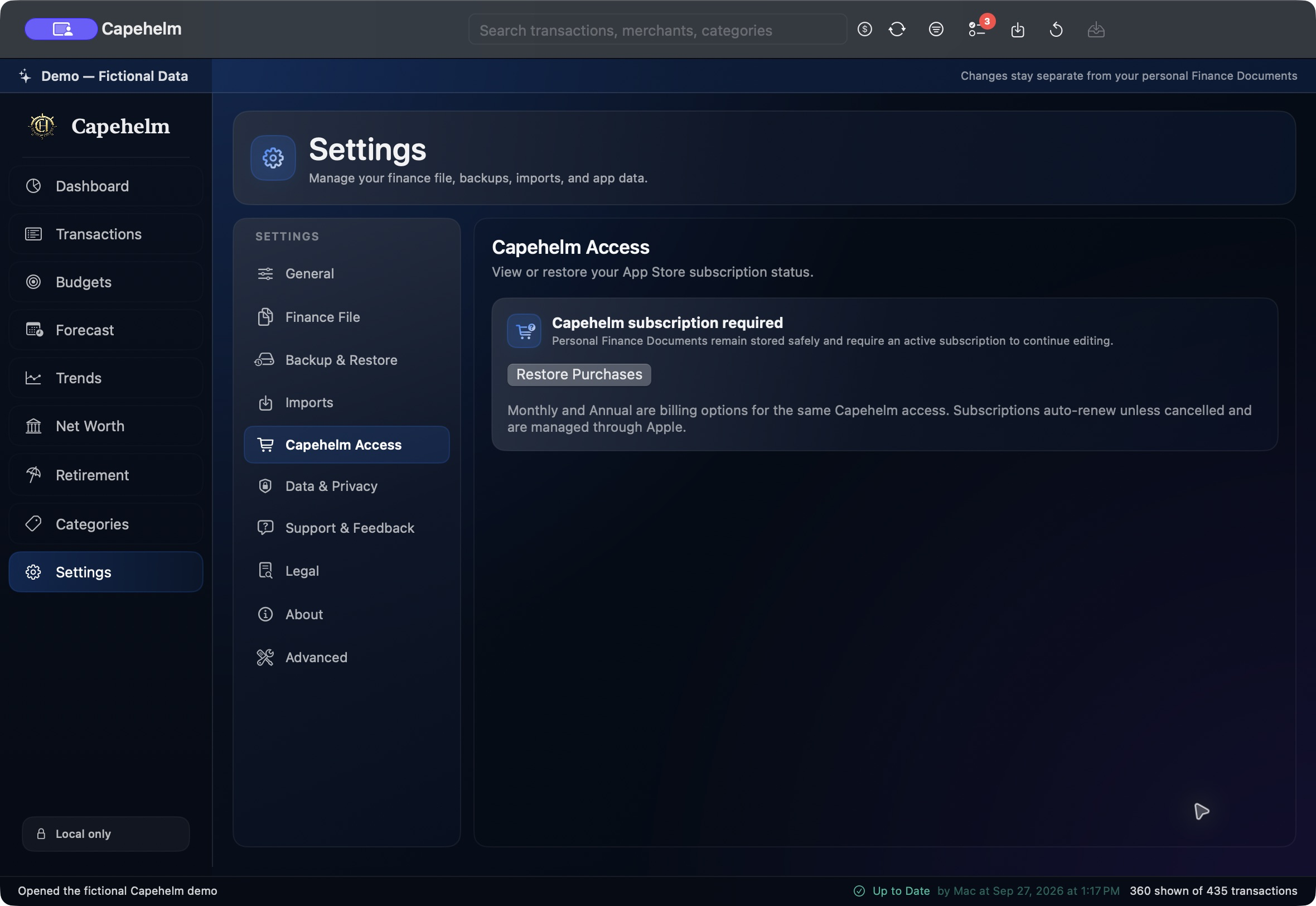
Open Settings > Capehelm Access and choose Restore Purchases while signed into the App Store account used for Capehelm.

Capehelm Settings showing Capehelm Access and the Restore Purchases control in a fictional Demo state.
Restore Purchases is available from Settings > Capehelm Access.

Restore access

  1. Open Settings.
  2. Select Capehelm Access.
  3. Choose Restore Purchases.
  4. Wait while Apple resynchronizes the current App Store account and Capehelm refreshes its verified entitlements.

What you may see

  • An active Monthly or Annual plan is restored and reported.
  • Capehelm reports that no active subscription was found for the current App Store account.
  • A StoreKit problem produces a recoverable restore error so you can try again later.

Still need help?

Tell us what happened.

Email [email protected] and describe what you were trying to do, what happened, and any error message Capehelm displayed. Please write the error in the email instead of attaching sensitive files or screenshots.

Email Capehelm Support