Product features

Past, present and future—in one financial workspace.

Capehelm is designed to move from a high-level answer to the detail behind it without sending your financial history to an app-owned cloud account.

See where you stand

A current financial picture, without the spreadsheet archaeology.

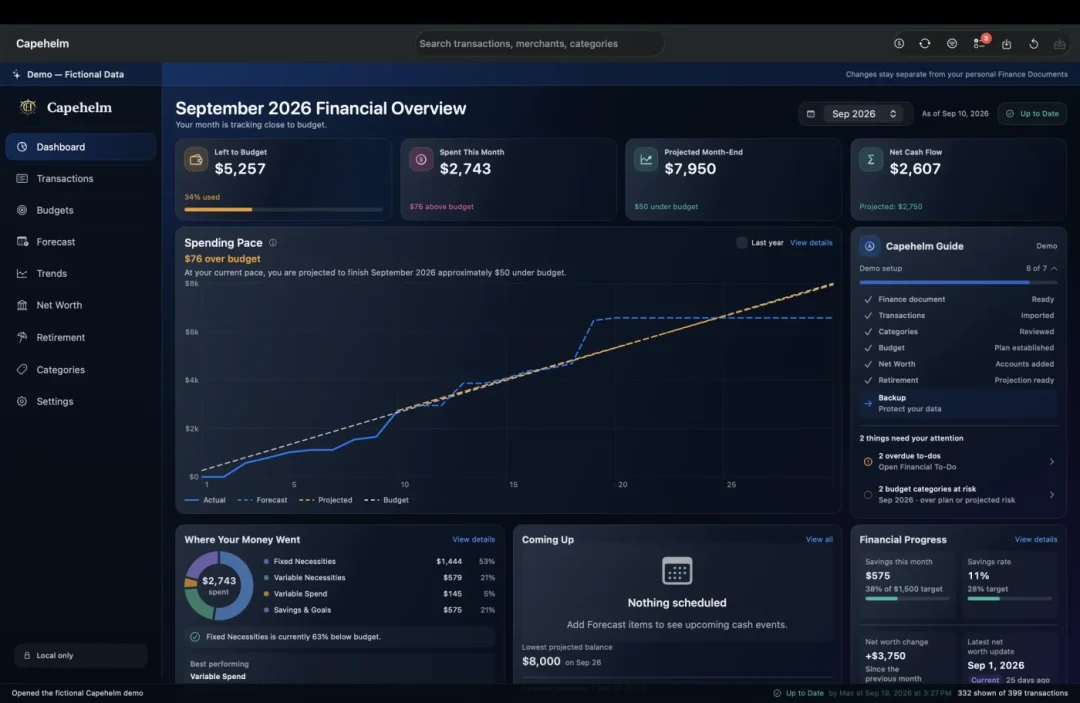
Dashboard brings spending, budget position, forecast context, savings and net-worth signals into one focused starting point. Capehelm Guide shows what you’ve set up, what needs attention and the next useful step to take.

  • Monthly financial overview
  • Capehelm Guide and setup progress
  • Attention signals for reviews, budget pressure and potential duplicate charges
  • Budget Health by group and category
  • Projected month-end spending
  • Budget Builder
See how the Mac workspace fits together
Real Capehelm Dashboard showing a fictional monthly financial overview, spending pace, budget position and Capehelm Guide.

Understand where it went

Trace the story behind the totals.

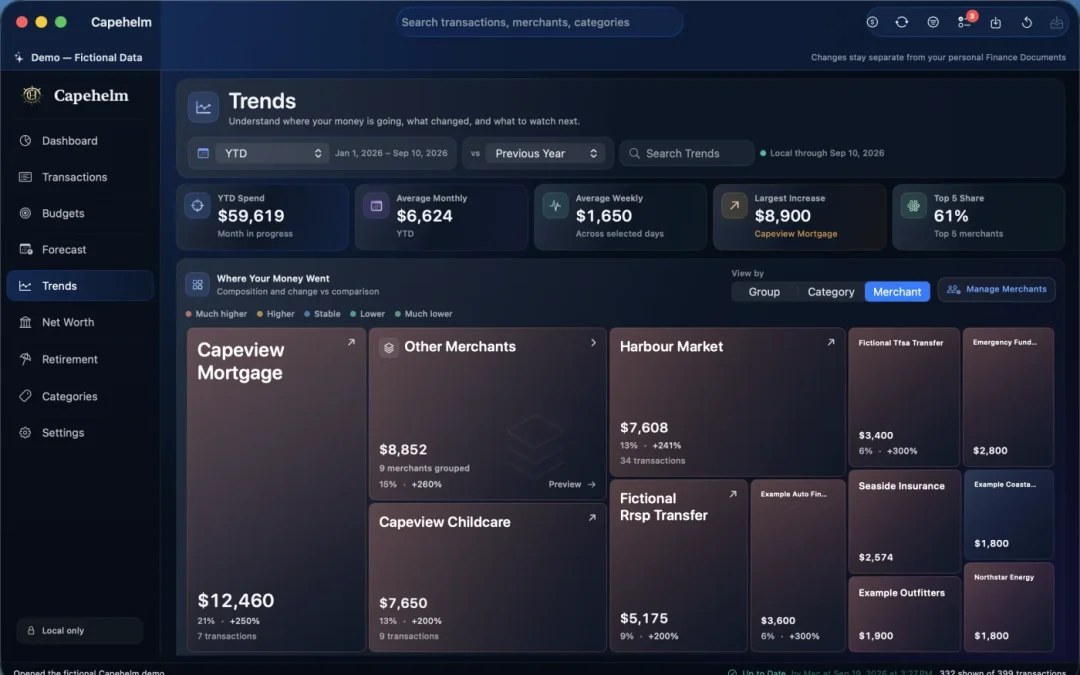
Import statements from supported formats or teach Capehelm the structure of another financial institution’s CSV—all locally. Review the results, shape categories and explore the story in Trends.

  • Built-in and configurable bank CSV imports
  • Local mapping confirmation and reusable import profiles
  • Duplicate detection and post-import review
  • Search, filters and source traceability
  • Group, category and merchant Trends
Follow the local CSV import workflow
Real Capehelm Trends screen showing fictional category and merchant spending patterns.

Plan what happens next

Know what your money needs to do before you spend it.

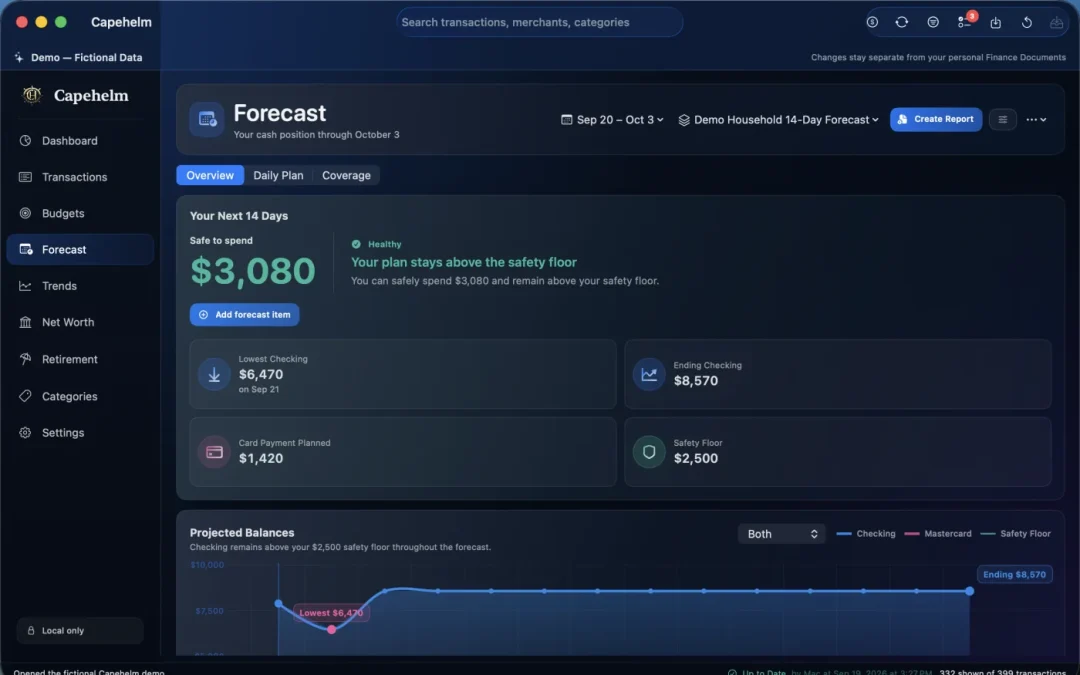
Forecast projects the next 14 days across checking balances, income, expenses, card payments and recurring commitments. Financial To-Do keeps payments, reimbursements and follow-ups visible alongside the numbers.

  • 14-day projected balance
  • Safety-floor awareness
  • Recurring and manual items
  • Flexible spending context
  • Financial To-Do for payments, reimbursements and follow-ups
  • Due-soon and overdue awareness
Learn how the 14-day Forecast works
Real Capehelm Forecast screen showing a fictional 14-day cash-flow plan, upcoming commitments and projected balances.

Measure long-term progress

See the balance sheet behind the month.

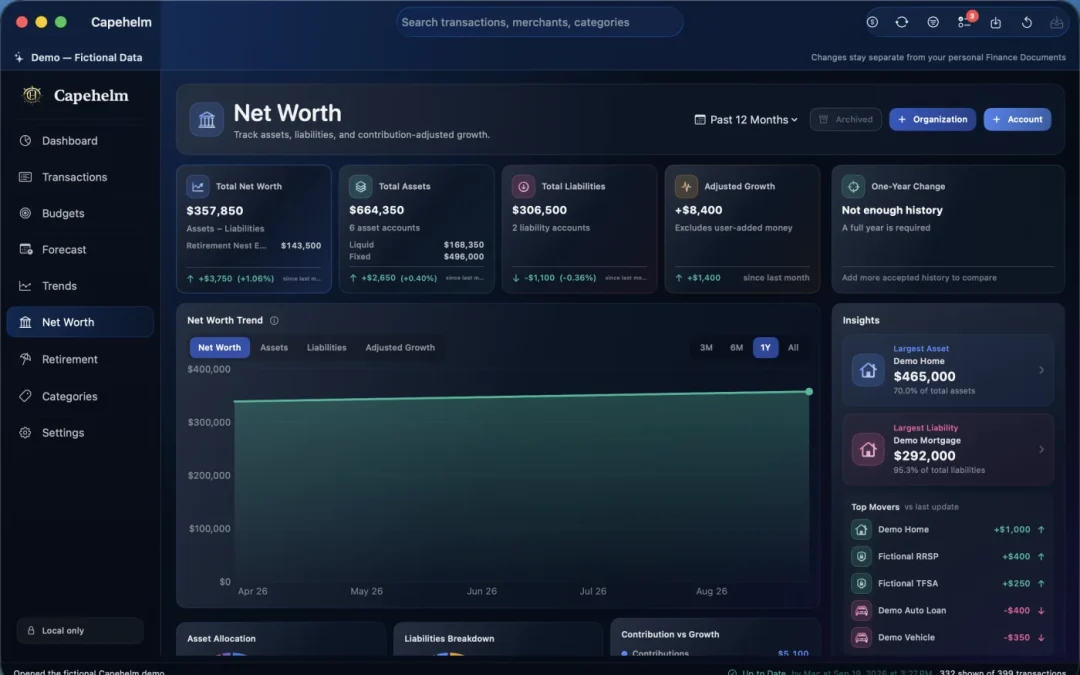
Net Worth organizes institutions, accounts, assets, liabilities and histories into a long-term view that separates contributions, withdrawals and growth.

  • Account histories
  • Contribution-adjusted growth
  • Liquid versus fixed assets
  • Account and institution organization
  • Linked secured assets and liabilities
Real Capehelm Net Worth screen showing fictional assets, liabilities, balances and change over time.

Plan beyond the balance sheet

Give long-term saving a clearer direction.

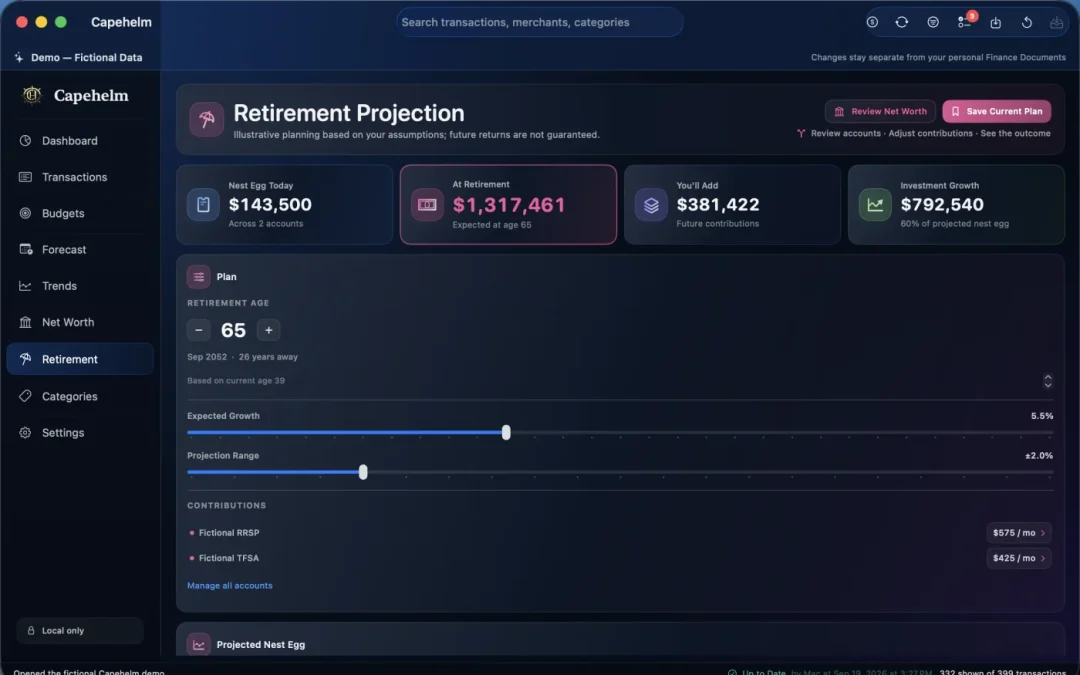
See how the accounts you’re building today could grow toward retirement. Adjust contributions, retirement timing and expected growth, then compare conservative, expected and optimistic paths.

  • Account-by-account retirement projections
  • Contribution assumptions
  • Expected growth with upside and downside bands
  • Retirement age and date planning
  • Saved-plan comparison
  • Retirement milestones
Real Capehelm Retirement screen showing fictional account projections and user-controlled assumptions.

Keep your household aligned

Turn financial complexity into a useful conversation.

Report Builder creates clear plans and reviews for a partner or household member, using the complete Capehelm workspace on your Mac.

  • Weekly Family Plan
  • Weekly Spending Review
  • Weekly Money Check-In
  • Month-End Money Review
  • PDF outputs for a repeatable household check-in

Local-first control

Your data. Your files. Your backups.

Capehelm Finance Documents, built-in and configurable bank CSV imports, local backups, reports and exports stay under your control.

What local-first means in Capehelm

Private personal finance for Mac

A clearer view of your money, kept on your devices.

Download on the Mac App Store How privacy works