
01Trends
Where did my money go?
See spending across transactions, categories and merchants. Understand what changed over time, then correct or organize the details behind it.
Spending patternsMerchant analysisCategories
Private personal finance for Mac.
Track spending, build a budget, forecast the next 14 days, monitor your net worth and plan retirement — while keeping your financial data on your Mac.
2 months free for eligible new subscribers · Monthly or annual · No ads
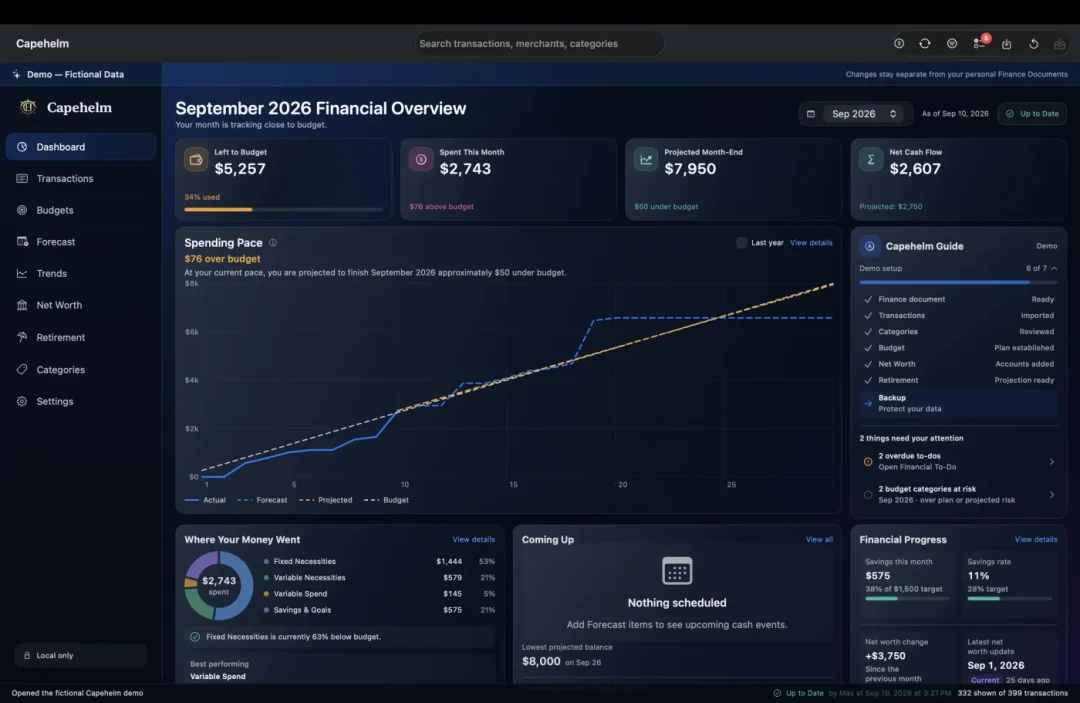
What Capehelm helps you answer
Start with the decision you need to make—not a list of software features.
See spending across transactions, categories and merchants. Understand what changed over time, then correct or organize the details behind it.
Compare actual spending with your plan, spot categories worth watching and adjust monthly targets before the month gets away from you.
See upcoming commitments and projected account balances before they arrive. Forecast Coverage shows whether planned expenses were covered by real transactions, so cash-flow pressure is easier to spot.
Track assets, liabilities and the accounts driving your Net Worth. Model how included retirement accounts may grow from contributions and assumptions over time.
Turn your numbers into concise weekly and month-end PDF check-ins that are easy to review with a partner or household member.
Looking for a specific workflow or capability?
Explore all featuresFrom statement to financial picture
No bank connection required. Import your statements, review them locally, and Capehelm turns your Finance Document into a clearer view of where your money has been—and where it is heading.
Download a supported CSV statement from your financial institution and choose it in Capehelm. Built-in formats are recognized where available, and other usable CSVs can be mapped with the custom import workflow.
You choose what enters Capehelm. Your financial data stays local in your Finance Document—there's no automatic bank connection or finance-data upload.
Learn about importing statementsPreview the import, confirm Categories, and review anything that needs attention. Capehelm saves reusable merchant rules locally in your Finance Document to keep future imports consistent.
Your Categories and merchant rules stay local and are applied predictably—nothing is sent away to learn from your data.
Once your Finance Document is set up, Capehelm turns your imported history into a connected view of your finances.
Budget · Forecast · Trends · Net Worth · Retirement · Reports
See Capehelm in action
Five connected views, shown with fictional demo data.
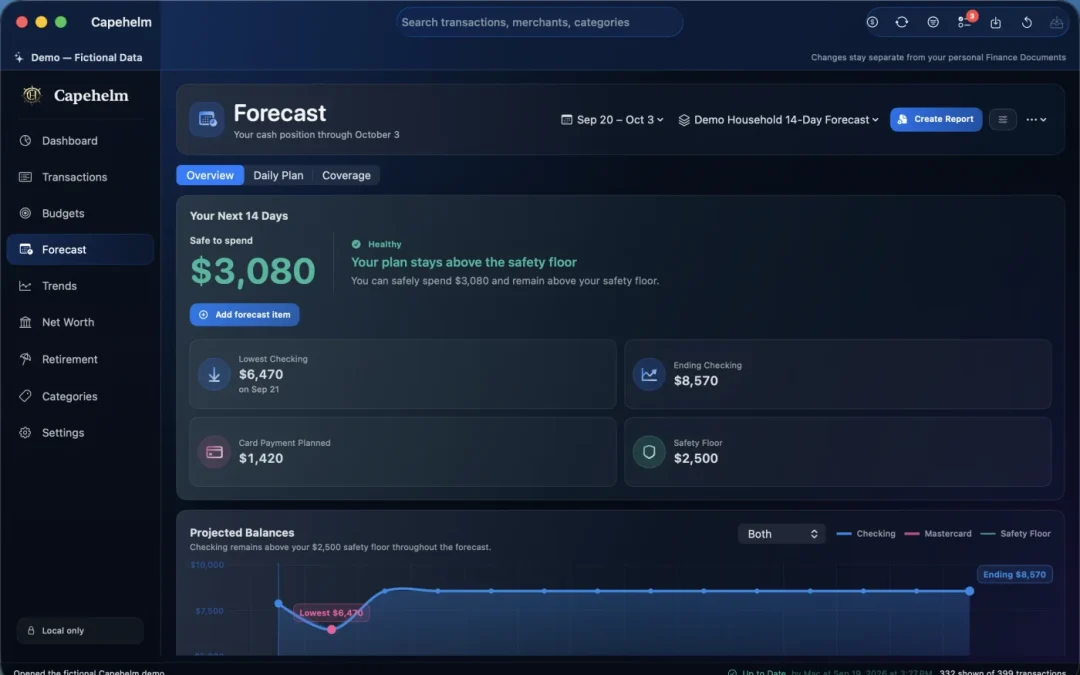
01Forecast
Capehelm combines recurring commitments and expected spending into a forward-looking cash-flow view.
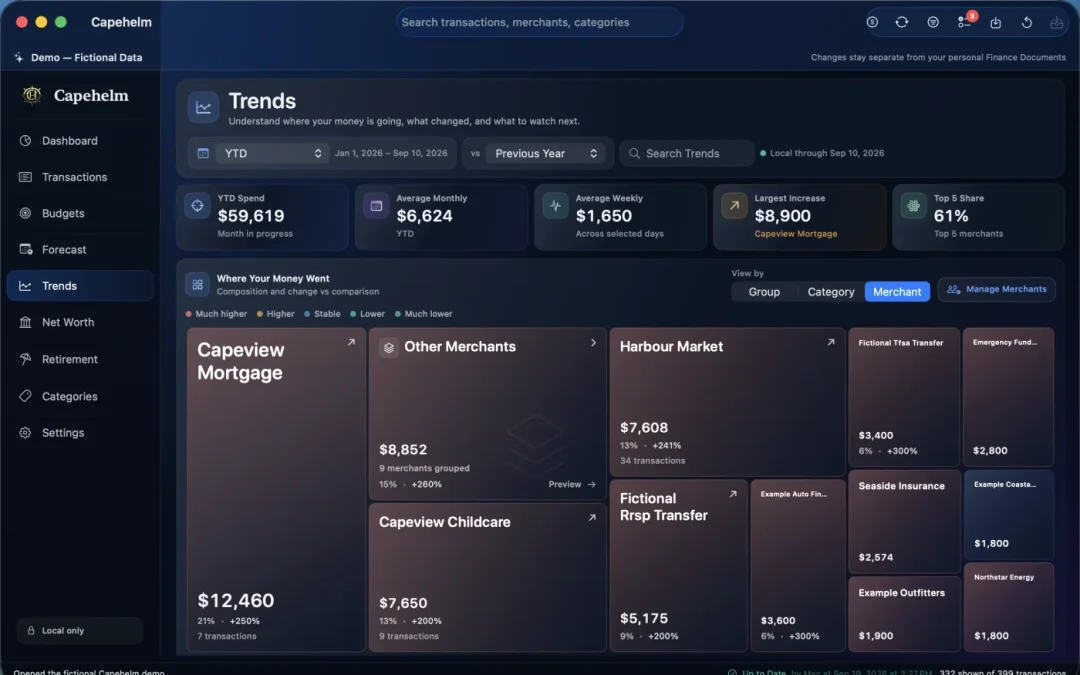
02Trends
Explore categories and merchants to see where spending patterns are moving.
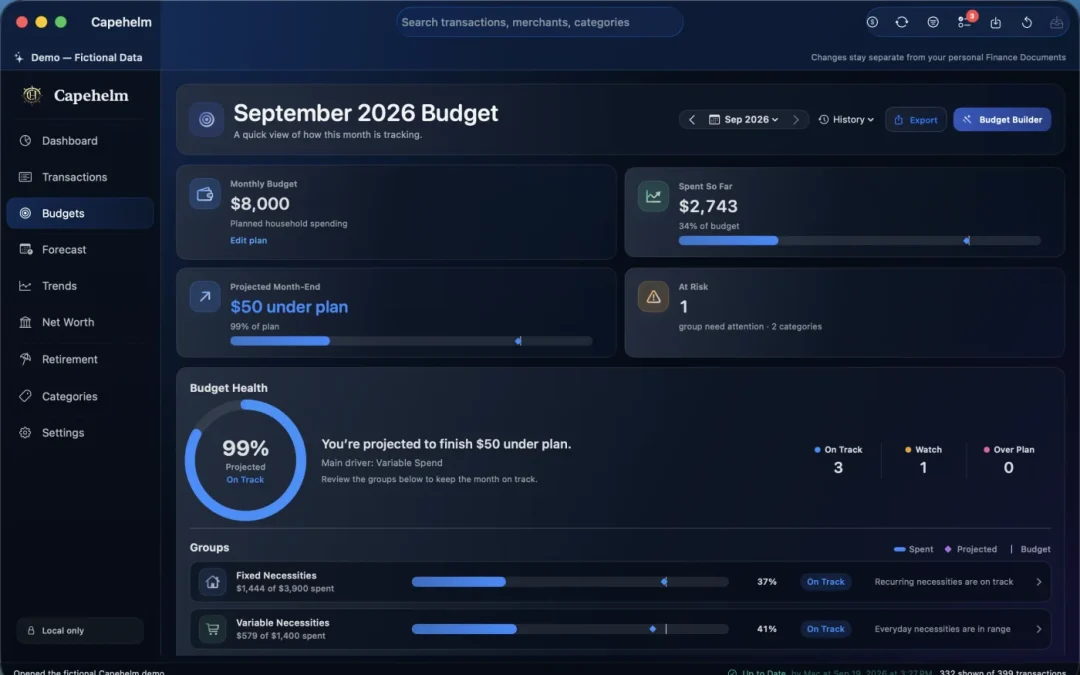
03Budget
Budget Health compares actual spending with your plan and projected month end.
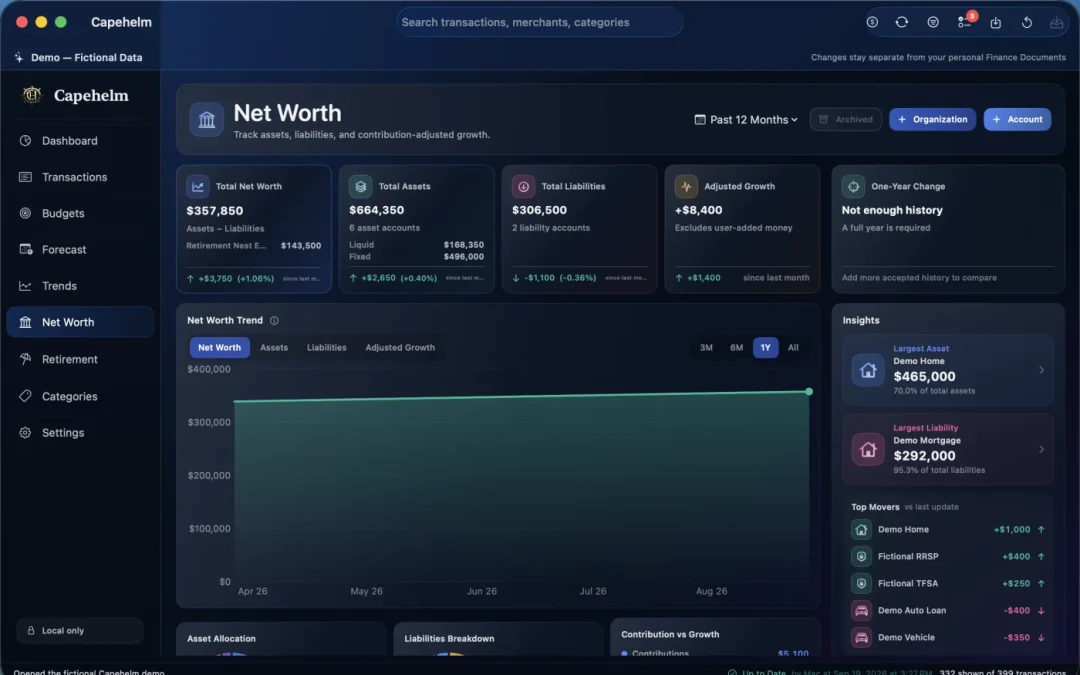
04Net Worth
Bring assets and liabilities together and follow how they change over time.
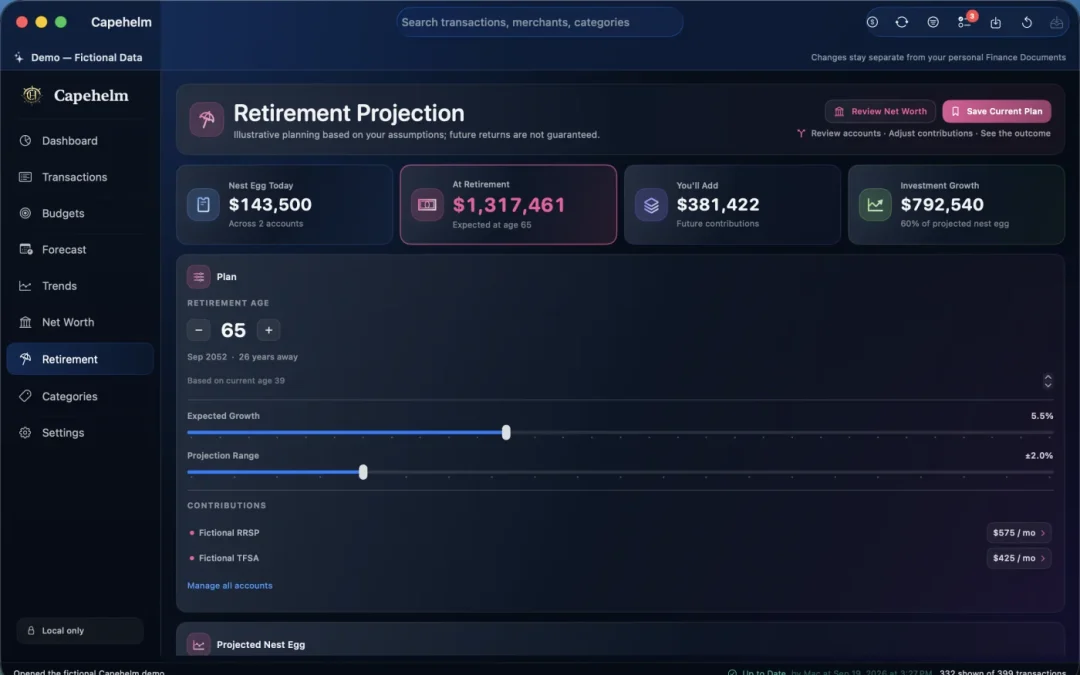
05Retirement
Project included retirement accounts and contributions without giving up control of your data.
Pricing
Eligible new subscribers can access the full Capehelm experience during Apple's two-month introductory free trial.
The introductory trial is available with either Capehelm subscription option, subject to Apple eligibility.
Monthly and Annual unlock the same Capehelm features.
Subscriptions are purchased, renewed, cancelled, restored and managed through Apple. Introductory-trial eligibility is determined by Apple. Read subscription FAQs.
Pricing may vary by storefront, region, currency and applicable taxes.
Download on the Mac App StoreMade for Mac
Capehelm’s current public product is focused on a full native Mac experience.
Budget, Forecast, Trends, Net Worth, Retirement, imports and full document management stay together on your Mac.
Why Capehelm is built for MacCapehelm is available for macOS. An iPhone or iPad companion is not currently offered.
Private personal finance for Mac
Keep your financial picture private and close at hand. Eligible new subscribers receive a 2-month introductory trial.