
Getting Started

Setting Up Budget

Budget Builder helps you allocate budgeted income across groups and Categories for the month.

Quick answer

Open Budget Builder, review or edit group and Category targets, then choose Apply to Monthly Budget.

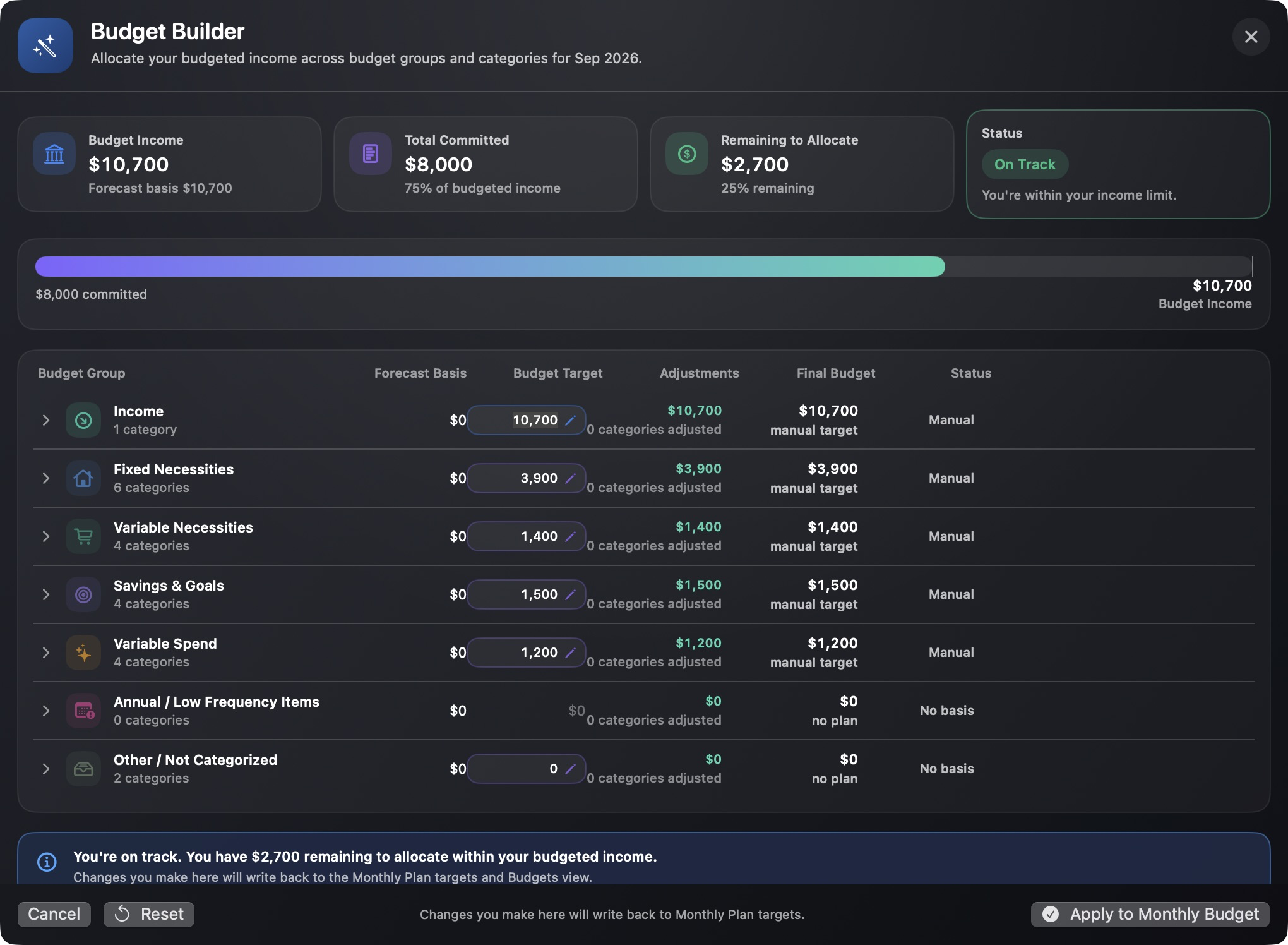
Capehelm Budget Builder showing fictional budget income, group targets, remaining allocation, and Apply to Monthly Budget.
Budget Builder shows the plan at group level and lets you review Category targets before applying it.

Build the monthly plan

  1. Open Budgets and enter Budget Builder.
  2. Review the budgeted income, total committed amount, and remaining amount to allocate.
  3. Review each budget group’s target. Open a group when you need to inspect or edit its Categories.
  4. Adjust the group or Category targets that should change for the month.
  5. Choose Apply to Monthly Budget when the plan is ready.

Use the status as a check

Budget Builder summarizes how much is committed and how much remains to allocate. Use that product feedback to review the plan before applying it; this guide does not prescribe a particular budgeting method.

Still need help?

Tell us what happened.

Email [email protected] and describe what you were trying to do, what happened, and any error message Capehelm displayed. Please write the error in the email instead of attaching sensitive files or screenshots.

Email Capehelm Support