
Getting Started

Using Forecast

Forecast brings the next 14 days into one workspace so you can see how planned activity affects your cash position.

Quick answer

Open Forecast and start on Overview to review safe-to-spend, projected balances, and the upcoming items in the 14-day window.

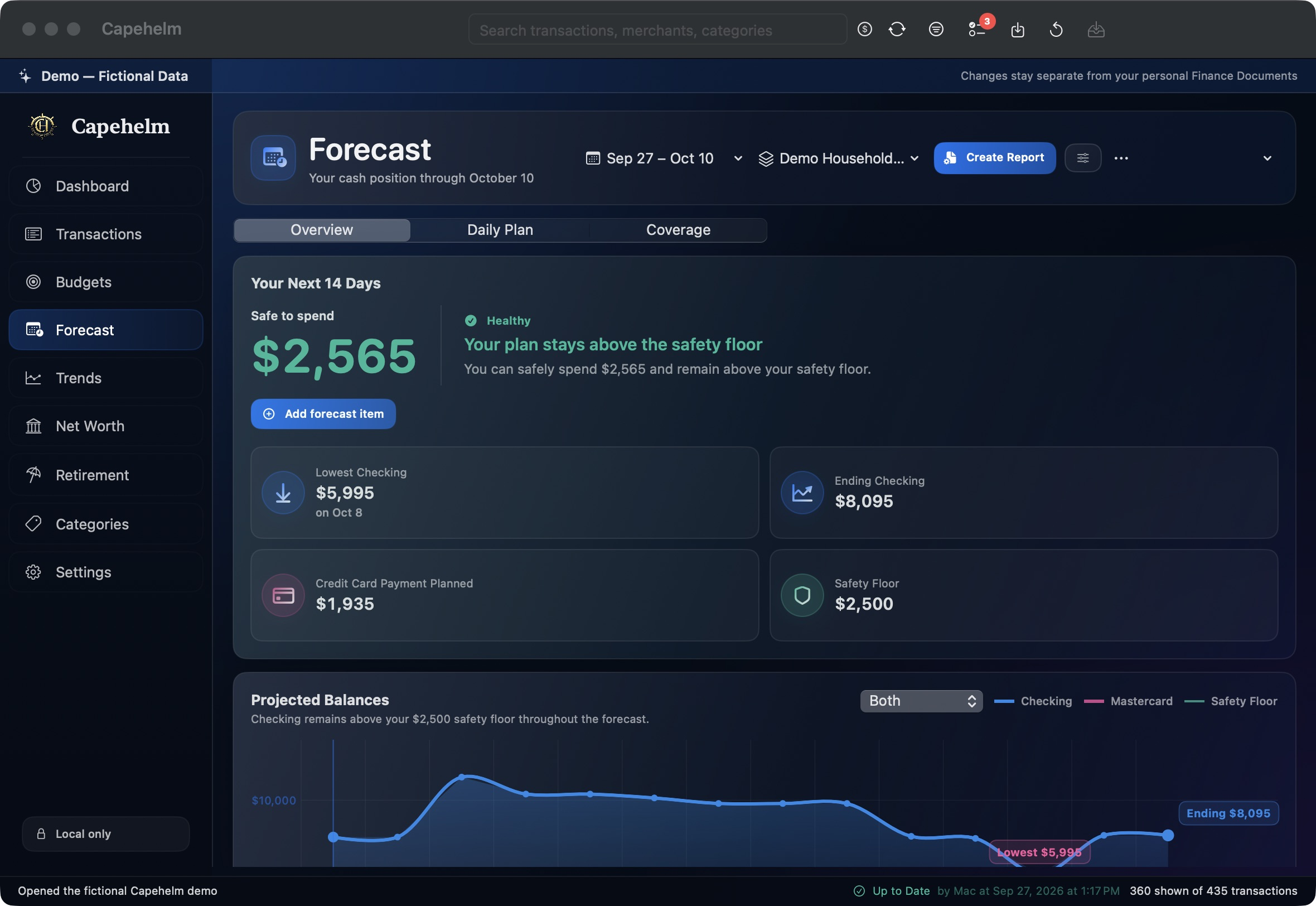
Capehelm Forecast Overview showing a fictional 14-day safe-to-spend amount, safety floor, projected balances, and workspace tabs.
Forecast Overview summarizes the next 14 days using fictional Demo data in this image.

Read the Overview

  • Safe to spend summarizes what the current plan can spend while remaining above the safety floor shown by Capehelm.
  • Projected balances show how checking and relevant forecast balances change across the selected 14-day period.
  • Upcoming forecast items show the planned activity contributing to that projection.

Move through the Forecast workspace

Overview is the summary. Daily Plan and Coverage are the other Forecast workspace tabs documented by the current product. Use them when you need to move beyond the overview into the day-by-day plan or coverage view.

Still need help?

Tell us what happened.

Email [email protected] and describe what you were trying to do, what happened, and any error message Capehelm displayed. Please write the error in the email instead of attaching sensitive files or screenshots.

Email Capehelm Support