
Subscriptions · Recurring spending
How to Find Subscriptions and Recurring Charges on Your Bank Statement
Forgotten subscriptions rarely look dramatic. They look like $9.99, $14.99 or $24.00 charges quietly repeating between groceries, gas and everything else. A simple statement audit can turn those small transactions into a clear list of what you are actually paying for.
If you are trying to find subscriptions on a bank statement, the goal is not to search for the word “subscription.” The goal is to find payments that repeat.
That sounds obvious, but recurring spending can be surprisingly difficult to see in a normal transaction list. Merchant names may be abbreviated. Some subscriptions bill through Apple, Google, PayPal or another payment processor. Prices can change. Annual renewals may appear only once every twelve months.
The useful question is simple:
Which charges keep coming back, and are they still worth paying for?
01 · Start with the definition
What counts as a recurring charge?
A recurring charge is a payment that repeats on a schedule without you manually making the purchase each time. Subscriptions are one type of recurring charge, but they are not the only type.
Services you keep paying for
Streaming, software, cloud storage, newsletters, apps, memberships and subscription boxes.
Regular obligations
Insurance, internet, phone plans, gym memberships, child-care fees, loan payments and other scheduled bills.
It helps to separate these mentally. You may not want to “cancel” your internet or insurance just because it repeats. But you may still want those costs on the same recurring-spending list so you can understand how much of your monthly cash flow is already committed.
02 · Gather enough history
Use several months of statements—not just one
One month can show obvious monthly subscriptions, but it will miss quarterly and annual renewals. Start with at least three months if you want to identify monthly patterns. If you are doing a full audit, review up to twelve months so annual charges have a chance to appear.
Do this for every card and account you regularly use. A household may have subscriptions spread across a chequing account, two credit cards, an App Store account and a PayPal account.
If your bank lets you export transactions to CSV, that can make the process faster because you can sort and filter the data. If not, PDF statements still work; they just require more manual scanning.
03 · Look for patterns
How to spot recurring charges in a statement
Work through the transaction history and look for combinations of these signals:
- the same merchant appears repeatedly
- the same or similar amount repeats
- charges occur at roughly monthly intervals
- a merchant appears every three, six or twelve months
- an App Store or payment-processor charge repeats
- small charges keep appearing even though you barely notice them
Do not require every signal to match perfectly. Some subscriptions change price. Taxes can alter the amount. A billing date can shift by a day or two. Merchant descriptions can change slightly.
Think in terms of pattern plus context, not exact mathematical repetition.
04 · Decode the merchant
The name on the statement may not match the service
This is one of the biggest reasons forgotten subscriptions survive. The service you remember may not be the merchant description that appears on the card.
A charge may show an abbreviated company name, a parent company, an app store, or a payment processor. If you do not recognize it, do not immediately assume it is fraudulent or harmless.
Use the clues you already have:
- search your email for the exact amount
- search your inbox for the merchant text
- check Apple or Google subscription settings if the charge is routed through an app store
- check PayPal automatic payments if PayPal is the merchant
- look at the same merchant in earlier months
Once you identify the real service, record a clean name for it while preserving the original statement description somewhere. That gives you a useful label without losing the source information.
05 · Convert everything to annual cost
The monthly price is not the real decision number
A monthly subscription is easy to dismiss because the number is small. Converting it to an annual cost makes the trade-off easier to see.
A $20 monthly subscription costs $240 per year. Five modest subscriptions can become a four-figure annual expense without any individual charge feeling significant.
| Service | Charge | Frequency | Annual cost |
|---|---|---|---|
| Streaming service | $18.99 | Monthly | $227.88 |
| Cloud storage | $13.99 | Monthly | $167.88 |
| Fitness app | $9.99 | Monthly | $119.88 |
| Software tool | $24.00 | Monthly | $288.00 |
| Membership | $239.00 | Annual | $239.00 |
| Illustrative annual total | $1,042.64 | ||
Nothing in that example is inherently wasteful. The question is whether each expense still earns its place in the household budget.
06 · Find the easy-to-miss ones
Pay special attention to forgotten and annual subscriptions
Monthly charges are easier to detect because you see them repeatedly. Annual subscriptions are harder because they may appear only once in a full year of transactions.
Look for:
- annual software licences or memberships
- domain names and web services
- cloud storage plans
- professional associations
- fitness or wellness memberships
- streaming services you stopped using
- free trials that converted to paid plans
- services billed through Apple, Google or PayPal
A good audit is not only about finding things you forgot. It is also about confirming the recurring expenses you intentionally want to keep.
07 · Build one list
Create a simple subscription tracker
Once you identify a recurring payment, move it into one list. A spreadsheet is enough.
| Field | Why it matters |
|---|---|
| Service | The name you actually recognize |
| Amount | What the service currently costs |
| Billing frequency | Monthly, quarterly or annual |
| Annual cost | A common basis for comparison |
| Payment method | Which card, account or app store pays it |
| Renewal date | When you need to review it again |
| Decision | Keep, cancel, downgrade or review |
The goal is not to create another complicated financial system. The goal is to make recurring commitments visible.
08 · Decide deliberately
Do not turn a subscription audit into a cancellation contest
Some subscriptions are excellent value. Some save time. Some are used every day. Some support hobbies, entertainment or work that matters to you.
The useful distinction is not subscription versus no subscription. It is intentional versus forgotten.
- Keep
- Cancel
- Downgrade
- Switch to annual
- Review before renewal
If you use a $20 service every day and would happily buy it again, the audit has still done its job. You confirmed the expense is intentional.
09 · Put recurring spending in context
Subscriptions matter because they consume future cash flow
A recurring expense is different from a one-time purchase because part of next month's income is already spoken for.
That is why subscriptions connect naturally to both budgeting and cash-flow forecasting. A budget tells you how much you intend to spend. A forecast helps show when those recurring charges are likely to hit your account.
If you want to take the next step, read Budget vs. Cash-Flow Forecast and the guide to forecasting your personal cash flow for the next 14 days.
10 · Use your own transaction data
A CSV makes recurring patterns easier to inspect
If your bank or credit-card provider lets you export transactions to CSV, sorting by merchant or description can make repeating charges much easier to spot.
The process is straightforward:
Export→Sort→Group→Review→Decide
Our guide to analyzing bank transactions from a CSV file goes deeper into cleaning merchant names, categorizing spending and avoiding common mistakes such as double-counting transfers.
11 · The Capehelm workflow
Where Capehelm fits
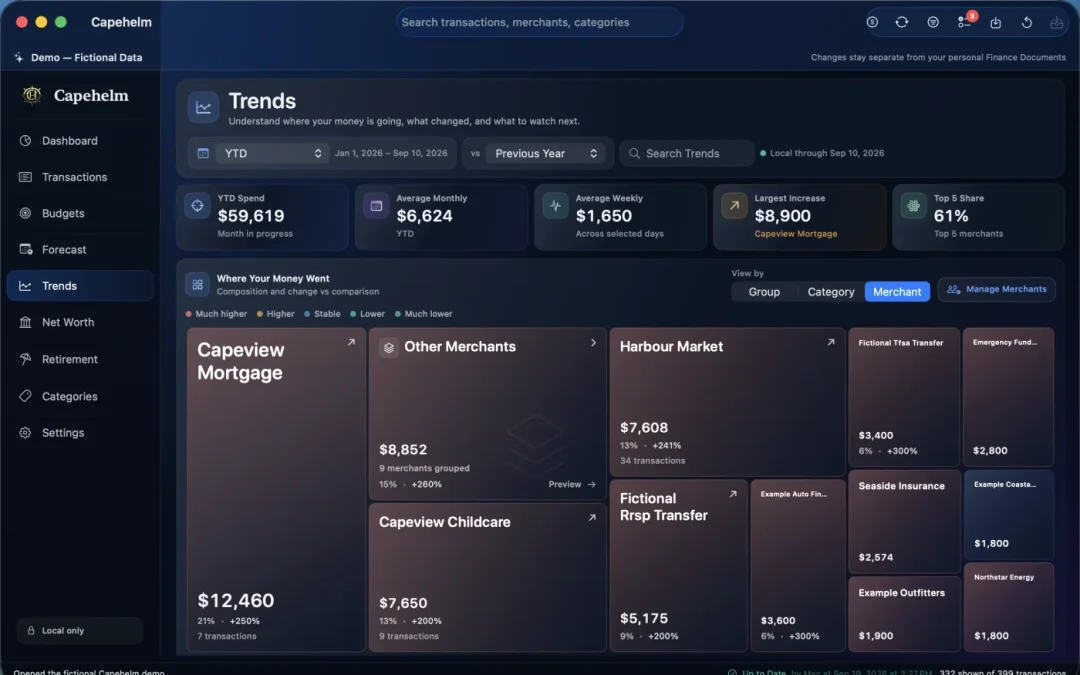
Capehelm does not require a permanent bank connection. You can import supported statement CSV files into your local Finance Document, review the transactions, organize merchants and categories, and use Trends to inspect where money is going.
Capehelm does not currently claim to automatically identify or cancel every subscription for you. The recurring-spending audit in this guide is useful on its own.
What Capehelm adds is a private place to keep the broader financial picture together: transaction history, categories, spending trends, budgets, a 14-day Forecast, Net Worth and Retirement.
Learn more about the local CSV import workflow or why personal finance software does not always need direct bank access.
12 · Treat the data carefully
Bank statements and CSV exports are sensitive
Transaction exports can reveal where you shop, which services you use, your income, recurring bills and other details about your financial life.
Store them thoughtfully. Avoid casually emailing statements or transaction exports. Delete temporary copies when you no longer need them, and understand the privacy model of any service you upload them to.
Capehelm's Privacy Policy describes its actual data boundaries.
13 · The takeaway
Make recurring spending visible
The hardest subscriptions to manage are often not the expensive ones. They are the small charges you stopped noticing.
Review enough transaction history to catch monthly and annual renewals. Group repeating merchants. Identify unclear descriptions. Convert everything to annual cost. Then make an explicit decision about each recurring expense.
A subscription you choose is part of your plan. A subscription you forgot is just a charge that kept going.